 Real Estate Video Creation
How to make a real estate walkthrough video: the one-take flow buyers actually finish
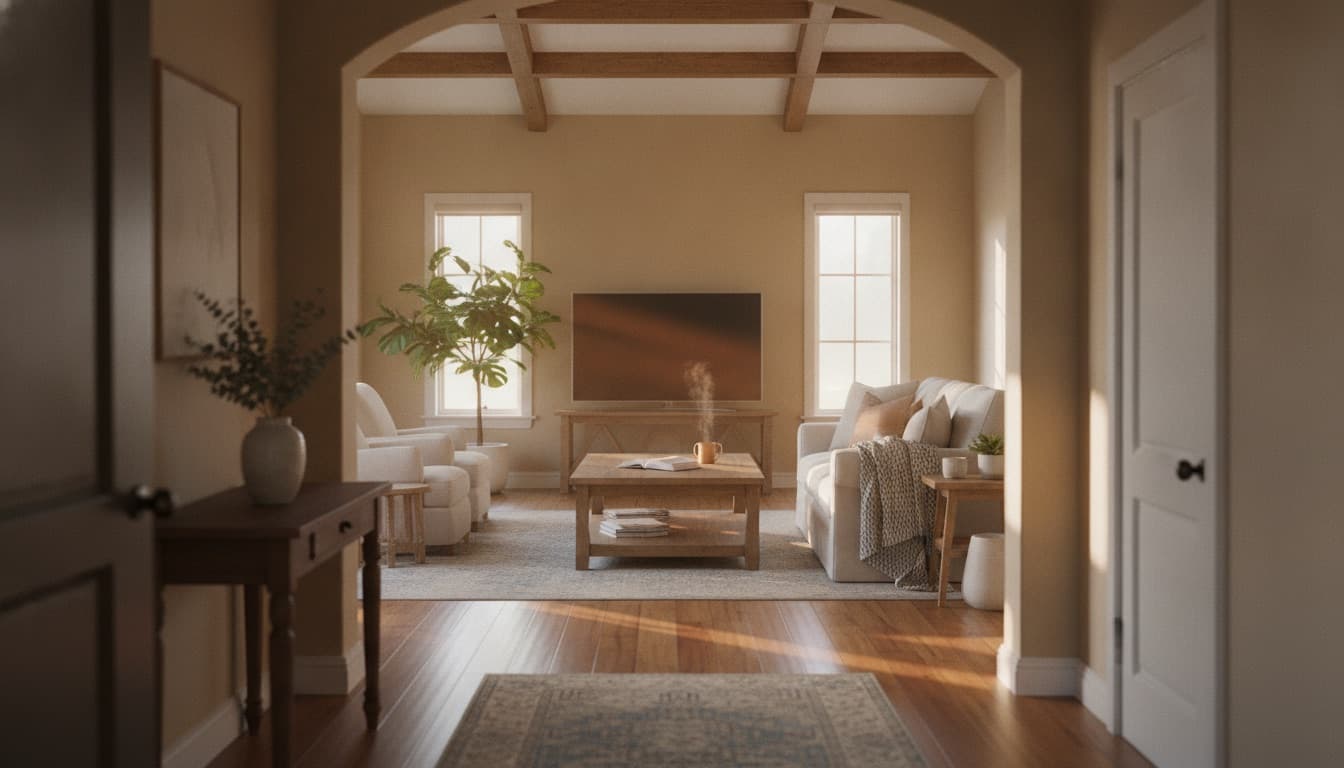
A walkthrough video has one job photos can't do: show how the rooms connect. Shoot the path a buyer would walk, in one continuous take, and they'll finish it. Here's the flow.

A buyer opens your walkthrough video. Ten seconds in, the camera whips from a kitchen to a bathroom to a bedroom with no sense of how any of them connect, and they close it. They didn't learn anything the photos hadn't already told them.
That's the whole problem with most walkthrough videos. They're a slideshow of rooms with motion added, which is a job the photos already do. A walkthrough has one job photos genuinely can't: showing how the space flows. Where the front door puts you. Whether the kitchen opens to the living room or hides behind a wall. What you see when you come down the stairs.
Get the continuity right and the walkthrough earns its place. Get it wrong and you've made a longer, shakier version of the photo gallery.
Are walkthrough videos even worth making?
For most listings, yes, and for a specific reason. A photo gallery answers "what does each room look like." It can't answer "how do the rooms connect," which is exactly what a remote buyer needs before deciding to book a showing. A good walkthrough saves everyone a wasted in-person visit by letting the buyer rule the layout in or out from their couch. It's worth it when the layout is a selling point or genuinely hard to read from stills. It's less worth it for a small studio where the photos already tell the whole story.
What a walkthrough video shows that photos can't
Stop thinking "show every room." Start thinking "walk the path a buyer would walk." The difference decides whether the video makes sense.
A buyer builds a mental map of a house as a path through it. They enter somewhere, move through, and arrive at the room that sells the place. Your walkthrough should follow that exact path so their eye never loses the space. The moment you cut from one room to a non-adjacent one, you've broken the thing the walkthrough was for.
View this post on Instagram
The reason a great unbroken tracking shot pulls you in is that your eye never cuts, so you never lose your place in the room. Directors who shoot a scene as one long take are buying exactly that: continuous space you can trust. A listing walkthrough is the same instinct at a smaller scale. Keep the camera moving through the real path and the buyer stays oriented the whole way.
How to film a walkthrough video in one take
This is a phone-and-gimbal how-to. If you'd rather not film at all, there's an alternative at the end.
View this post on Instagram
- 1
Walk the path once before you film
Decide the route a buyer would naturally take: approach, front door, main living space, kitchen, then upstairs or the primary. Walk it once empty-handed so the order is in your head. You're filming a journey through the home, so the order should feel like actually walking in.
- 2
Stabilize the phone
Use a gimbal if you have one; two hands and slow steps if you don't. Jerky footage is the fastest way to make a buyer stop watching. Shoot horizontal for the listing page, and a second vertical pass if you want a social cut.
- 3
Establish the entry
Start outside the front door or right at it, so the buyer knows where they're 'standing' before you move. The first three seconds set the orientation for everything after.
- 4
Move at buyer pace, pause in doorways
Walk slower than feels natural. Pause for a beat in each doorway to let the room register before you move through it. The pauses are what let a buyer actually read the space instead of just watching the camera glide.
- 5
End on the room that sells the home
Finish on the strongest space: the kitchen, the view, the primary suite. The last thing on screen is what they remember when they decide whether to book a showing.
- 6
Trim the ends, add light music, keep it short
Cut the dead frames at the start and finish, add quiet background music, and keep the whole thing under 60 to 90 seconds. No hard cuts between non-adjacent rooms; that's the one edit that breaks continuity.
Walkthrough do and don't
Include
- Follow the real path a buyer would walkEntry to living to kitchen to primary
- Keep the camera moving slowly and steadilyGimbal or two-handed, buyer pace
- Pause in doorwaysLet each room register before moving on
- End on the strongest roomThe one that earns the showing
Skip
- Cut between non-adjacent roomsBreaks the spatial flow, which is the whole point
- Film every closet and bathroomFollowing the path matters more than hitting every room
- Rush the paceFast footage makes buyers dizzy and they leave
- Open on the agent logo or the addressNeither answers 'why should I care about this house'
How to make a walkthrough video without filming
A filmed continuous take shows true spatial flow better than anything, and for a layout that's a genuine selling point, it's worth the fifteen minutes. But not every listing gets a filmed walk, and not every agent wants to hold a gimbal.
View this post on Instagram
The alternative is to build the walkthrough from your listing photos. Dunphy is the AI video agent for real estate, and its Cinematic Tour orders your photos into a paced walkthrough for the listing page without you filming anything. It won't reproduce a true unbroken take, so where real spatial continuity is the selling point, film it. Where the photos already tell the story and you just need a paced tour on the listing page, the photos-to-video route is faster. The full photos-to-video workflow is a separate walkthrough, and this post sits under the real estate video playbook if you want the surrounding formats.
Where we draw the line
A walkthrough builds trust by showing the real space. It loses that trust the moment it hides something.
- Show the true layout. Don't cut around a cramped hallway or a low ceiling to imply a flow that isn't there. Buyers who feel misled at the showing don't come back.
- No fabricated space. Whether you film it or build it from photos, don't stage empty rooms or alter finishes and pass them off as real.
- Label anything generated as illustrative when it isn't photographic.
What to do this week
- Take your current listing and decide the one path a buyer would walk through it.
- Film it in a single continuous take on your phone, pausing in each doorway.
- Trim the ends, add quiet music, keep it under ninety seconds.
- Put the horizontal cut on the listing page and a vertical cut on your feed.
The buyer doesn't need to see every room. They need to understand how the rooms connect, and finish the video believing they could find their way around. That's the one thing photos can't give them.
Frequently asked questions
How do you make a walkthrough video for a house?
How much does a real estate walkthrough video cost?
How long should a real estate walkthrough video be?
Are real estate walkthrough videos worth it?
Dunphy is the AI video agent for real estate. When you don't want to film, its Cinematic Tour builds a paced walkthrough for the listing page from your photos. Photos in, video out.

Written by
Matthew JohnCo-founder & CEO, Typito AI
Co-founder and CEO at Typito AI. I've been dabbling with video storytelling for 15 years and every day on the journey has been exciting. At Typito we're building Dunphy — the AI video agent for real estate — alongside the broader Typito video stack. Writing here about real-estate marketing, video, and integrity in AI-generated content.